UK plans in pounds
Choose IPTV services for everyone watching at home.
Compare one shared television with two or more screens showing different programmes. See every package total in pounds and choose a term around your household routine.
60 days to request a full refund. Support through WhatsApp.
Compare our subscription plans
Full payment shown. Choose your term and simultaneous screens.
- 60 days to request a full refund
- Setup help included
Silver
1 month · 1 device
£12
Total payment for the selected term
£12 monthly equivalent
- 4K streams, servers built for sport
- Live TV from multiple regions
- United Kingdom viewing preferences checked with you
- Movies and series on demand
- Adult channels hidden unless you ask
- Works on Firestick, Android and smart TVs
- VPN built in, no extra app to buy
- Electronic programme guide
- Anti-freeze tech for live matches
- Scan a QR code to sort your own channels
Gold
3 months · 1 device
£21
Total payment for the selected term
£7 monthly equivalentsave 39%
- 4K streams, servers built for sport
- Live TV from multiple regions
- United Kingdom viewing preferences checked with you
- Movies and series on demand
- Adult channels hidden unless you ask
- Works on Firestick, Android and smart TVs
- VPN built in, no extra app to buy
- Electronic programme guide
- Anti-freeze tech for live matches
- Scan a QR code to sort your own channels
Platinum
6 months · 1 device
£36
Total payment for the selected term
£6 monthly equivalentsave 47%
- 4K streams, servers built for sport
- Live TV from multiple regions
- United Kingdom viewing preferences checked with you
- Movies and series on demand
- Adult channels hidden unless you ask
- Works on Firestick, Android and smart TVs
- VPN built in, no extra app to buy
- Electronic programme guide
- Anti-freeze tech for live matches
- Scan a QR code to sort your own channels
- Annual package
Diamond
12 months · 1 device
£57
Total payment for the selected term
£5 monthly equivalentsave 59%
2 extra months included
Free IBO Player Pro with every 12-month plan
- 4K streams, servers built for sport
- Live TV from multiple regions
- United Kingdom viewing preferences checked with you
- Movies and series on demand
- Adult channels hidden unless you ask
- Works on Firestick, Android and smart TVs
- VPN built in, no extra app to buy
- Electronic programme guide
- Anti-freeze tech for live matches
- Scan a QR code to sort your own channels
A plan for your routine
One shared television is still one screen.
A household of four watching together uses one connection. The connection count changes when someone opens another programme on a separate device. Start with the evening when the most screens play together.
- 01
Follow the viewing routine
Write down which televisions and tablets play during a normal evening. Count them at the same time rather than adding every installed app. This gives you a useful starting allowance.
- 02
Compare matching terms
Select two devices to compare all four two-screen prices in pounds. Switching the screen selector changes the package; comparing a one-screen monthly price with a three-screen annual price would answer a different question.
- 03
Read the annual bonus separately
Diamond contains twelve paid months. One-device packages add two bonus months; packages for two to five devices add six. The player bonus is also stated on the annual card.
A two-room plan with the whole cost visible.
A two-device quarterly package costs £51 under this site’s fixed UK package pricing. The two-device annual package costs £95 and adds six bonus months. Use the selector to see other household sizes. The pound total is the amount carried into the order message.
Ask us about your setupWorked example: living room and bedroom
A living-room television and bedroom streaming stick play different programmes together. The household selects two devices, checks the player on each model and chooses Diamond at £95 for twelve paid months plus six bonus months.
An example to help you prepare your own order.
Start with the screen you already own.
Open the matching setup guide, then confirm your exact model with our support team.
 Set up Fire TVFire TV Stick or Cube
 Set up Android TVTVs, boxes, phones and Chromecast
 Set up RokuRoku players and Roku TVs
 Set up LG webOSNo streaming box needed
 Set up Apple TVAlso covers iPhone and iPad
 Set up WindowsDesktop and laptop setup










Explore viewing categories in the channel list.
Make your viewing shortlist part of the order.
Ask us to check your regular programmes and languages before picking a long term. During your trial, use both devices together, try favourites on each remote and check the programme guide where you normally watch.
View the content categoriesYour first viewing session
- 1. Open a channel from your viewing shortlist and check the picture and audio on your own screen.
- 2. Add favourites, open the programme guide and try subtitles on a programme that offers them.
- 3. Test the number of simultaneous screens included in your package, using the devices you plan to watch.
- 4. Keep your app name, model and subscription reference in your support conversation for future setup help.
Choose the viewing that matters to you.



















Browse the viewing categories
Read our customer conversations
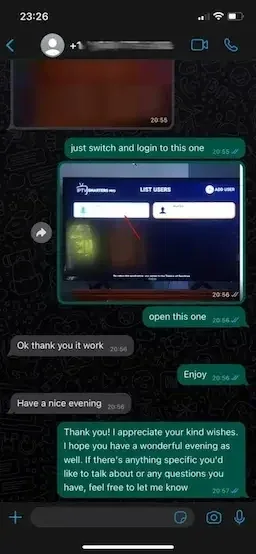
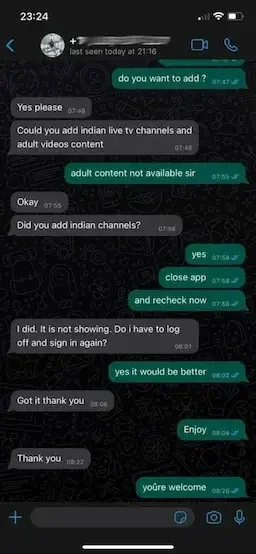
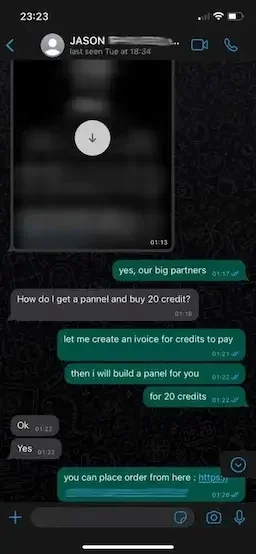
All device and duration prices
| Simultaneous devices | 1 month | 3 months | 6 months | 12 months |
|---|---|---|---|---|
| 1 | £12 | £21 | £36 | £57 |
| 2 | £19 | £51 | £80 | £95 |
| 3 | £26 | £63 | £96 | £132 |
| 4 | £36 | £78 | £139 | £169 |
| 5 | £48 | £93 | £163 | £206 |
Before you order from Get IPTV Services
What happens after I choose a package?
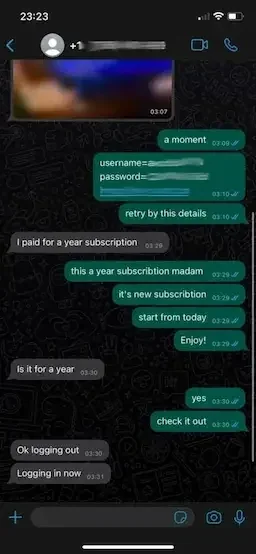
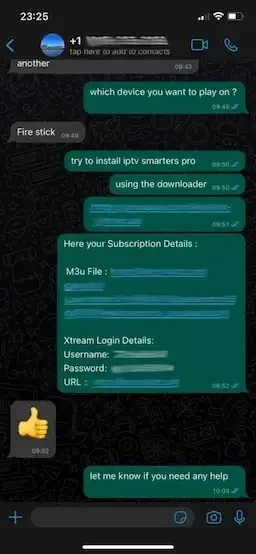
The order button opens a message to Get IPTV Services with your chosen duration, simultaneous devices and full payment. Confirm your device model in that conversation. Your subscription details and the appropriate setup instructions are supplied through WhatsApp.
What is the difference between a player and IPTV service access?
The player is the application on your TV or streaming device. Service access supplies the channels and on-demand library opened by that player. Installing an application alone does not activate a subscription. The annual package includes IBO Player Pro; ask about app compatibility for your specific model.
How many devices should I select?
Select the number playing at the same time. A television watched alone uses one connection. A television and a tablet playing together use two. Installing your player on an extra device does not by itself mean both screens are being watched together.
What does the annual payment include?
The twelve-month package includes two additional months for one device or six additional months for two to five devices. Each price card displays the selected screen count, full payment and bonus. The monthly equivalent divides the payment by the paid term; it is not a recurring monthly bill.
Can I check my preferred viewing before ordering?
Yes. Send Get IPTV Services your location, preferred languages and a short list of programmes or channels. Include your device model so the viewing selection and player setup can be checked together. A trial lets you try your own remote, guide and everyday viewing routine.
How do I renew or request a refund?
Keep your subscription reference in the original WhatsApp conversation. Request another term when you want to renew; there is no automatic renewal. Every package provides 60 days from purchase to request a full refund. The refund page explains the information needed to locate your payment.
60-day money-back guarantee. Renew when you choose. No automatic billing.
Request a 24-hour trial